Templates
Accelerate model building in Alviss AI with pre-configured templates in the Advanced Model Builder's Graph Editor.
To streamline the model-building process in the [Advanced Model Builder](../Advanced Model Builder), Alviss AI offers a selection of pre-configured templates. These templates serve as ready-made starting points, allowing you to quickly insert proven graph structures into your model and customize them as needed. This feature accelerates development, reduces setup time, and ensures consistency across projects while incorporating best practices for common business scenarios.
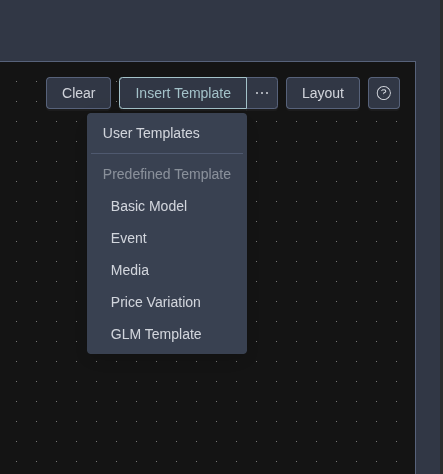
You can access templates via the Insert Template option in the Graph Editor. Select from standard or user-defined templates to populate your canvas automatically.
Standard Templates
Alviss AI includes several built-in templates designed for frequent use cases in holistic business measurement and optimization. Each template inserts a subgraph or full model structure that you can modify to fit your data and objectives.
-
Basic Model:
Inserts the same foundational graph as generated by the [Basic Model Builder](../Basic Model Builder.md). This serves as an excellent starting point for customizations, providing a simple yet robust structure for quantifying the impact of key drivers on KPIs like sales or churn. -
Event:
Adds nodes to incorporate events into your model, either by linking to event variables in your dataset or by manually specifying dates. Ideal for modeling the effects of one-time occurrences, such as promotions, holidays, or external disruptions. -
Media:
Inserts a subgraph to handle media dynamics, including transformations like adstock for carryover effects and saturation curves for diminishing returns. This template is particularly useful for optimizing marketing investments across channels. -
Price Variation:
Captures customer responses to recent price changes by adding nodes for elasticity and behavioral shifts. Helps in analyzing how pricing strategies influence demand, churn, or revenue in dynamic markets. -
GLM (Generalized Linear Model):
Constructs a flexible generalized linear model with granular control over distributions, links, and parameters. This is especially valuable for importing or replicating models from other frameworks, ensuring compatibility while leveraging Alviss AI's Bayesian capabilities for uncertainty quantification.
Start with a standard template that closely matches your use case, then use the Graph Editor to add or adjust nodes and edges. This approach combines efficiency with the flexibility needed for tailored insights.
User Templates
For even greater customization, team members can create and share their own templates. These are stored at the team level, making them accessible across all projects within the team. This promotes collaboration and standardization of modeling practices.
Creating a User Template
- Build or modify a graph in the Advanced Model Builder's Graph Editor to represent the desired structure.
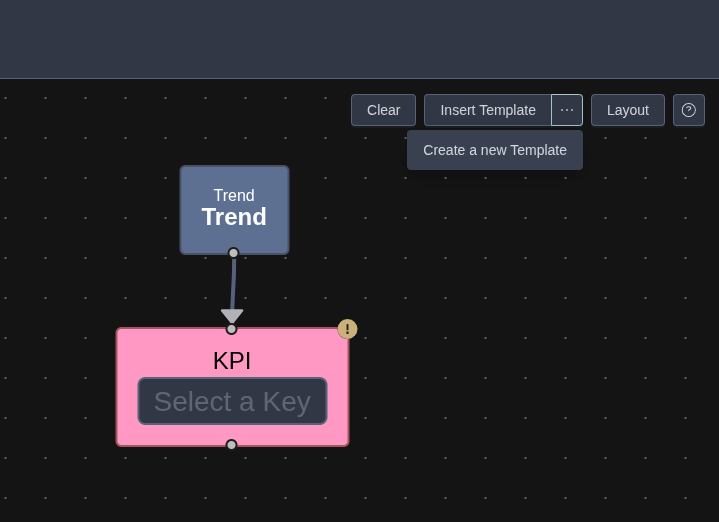
- Once complete, click Create a New Template to save it.
- Provide a name and optional description for easy identification.
Using a User Template
- In the Graph Editor, select Insert Template > User Template.
- Choose from the list of available team templates to insert the graph into your current model.
When saving a template, avoid pre-selecting specific data variables in the graph nodes. If variables are already assigned, they will attempt to map to the exact same names in future projects—even if those variables do not exist. In such cases, you will need to manually unselect and reselect appropriate variables from the current dataset. For best results, keep templates variable-agnostic to ensure seamless reuse.